YOU COULD BE DAMAGING YOUR COMPUTER WITHOUT KNOWING IT!
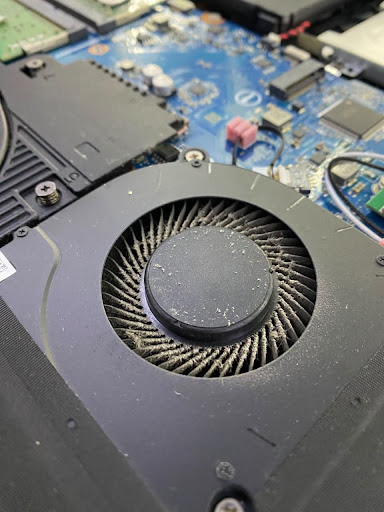
Some everyday habits can shorten your computer’s lifespan. Here are 10 hardware mistakes you need to STOP making: Blocking cooling vents: Using your laptop on a bed or pillow traps heat Ignoring dust: Dust restricts airflow and causes overheating Forcing USB connectors: Incorrect insertion can damage USB ports Unsafe drive removal: Unplugging during file transfers can corrupt data Using the wrong charger: Incompatible power specifications can damage charging circuits Ignoring a swollen battery: Stop using or charging it. Seek professional replacement Roughly moving your laptop: Sudden impacts can damage mechanical hard drives Ignoring static electricity: Electrostatic discharge can damage sensitive components Ignoring unstable power: Power surges can damage your PSU, motherboard and other components Incorrect hardware installation: Forcing or installing incompatible RAM and SSDs can cause damage ⚠️ TECHNICIAN’S TIP: Your computer doesn’t always fail because it’s old. Sometimes, it’s your daily habits. 💬 BE HONEST: Which of these mistakes have you made? 📌 Save this checklist. Share it with someone who owns a computer Follow Global Tech Computers for practical IT troubleshooting and hardware tips that save you time and money Laptop & MacBook Repairs | Upgrades | Bios Programming | Diagnostics & Servicing Done Here Screen Replacement Charger/Adapter Replacement Keyboard Replacement Battery Replacement Fan Replacement.