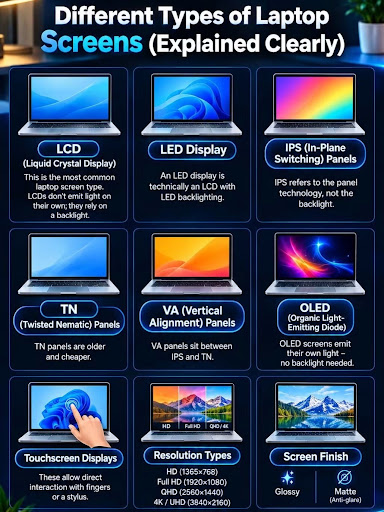
💻 Laptop screens aren’t all the same and knowing the difference can help you choose the right one!
From LCD and LED to IPS, TN, VA, and OLED,Q LED each display technology comes with its own strengths and weaknesses. And then there’s resolution and screen finish, which can make an even bigger difference in your everyday experience. ✨ Quick breakdown: 🔹 LCD – Common display technology that uses a backlight 🔹 LED – LCD panel with LED backlighting 🔹 IPS – Great viewing angles and strong color performance 🔹 TN – Older, affordable, and often focused on speed 🔹 VA – Strong contrast with a middle-ground experience 🔹 OLED – Self-lit pixels, deep blacks, and excellent contrast 🔹 Touchscreen – Lets you interact directly with your fingers or a stylus 🔹 HD / Full HD / QHD / 4K – Different levels of image sharpness and detail 🔹 Glossy vs. Matte – Affects reflections, glare, and how the display looks in different environments 👉 If you're buying a laptop, don't just look at the processor and RAM. The display is something you'll stare at every single day For work, school, movies, gaming, photo editing, or everyday browsing, the right screen can completely change your experience 📌 Save this post for the next time you're shopping for a laptop. 📲 Share it with someone who’s looking for a new laptop! What matters most to you in a laptop display: OLED, high refresh rate, sharp resolution, accurate colors, or battery life? 👇 LaptopDisplay Laptop Screen IPS OLED LED LCD Technology.